GMB Optimization: How to Optimize Google Business Profile
GMB optimization is the disciplined process of making your Google Business Profile accurate, complete, and useful to nearby customers—so Google Maps can trust and surface your listing. This guide walks through categories, NAP consistency, media, reviews, posts, and measurement without shortcuts that risk policy issues. Use it as a practical playbook for owners, marketers, and agencies managing one or many locations.
Also see the Local SEO playbook and all GMB guides.


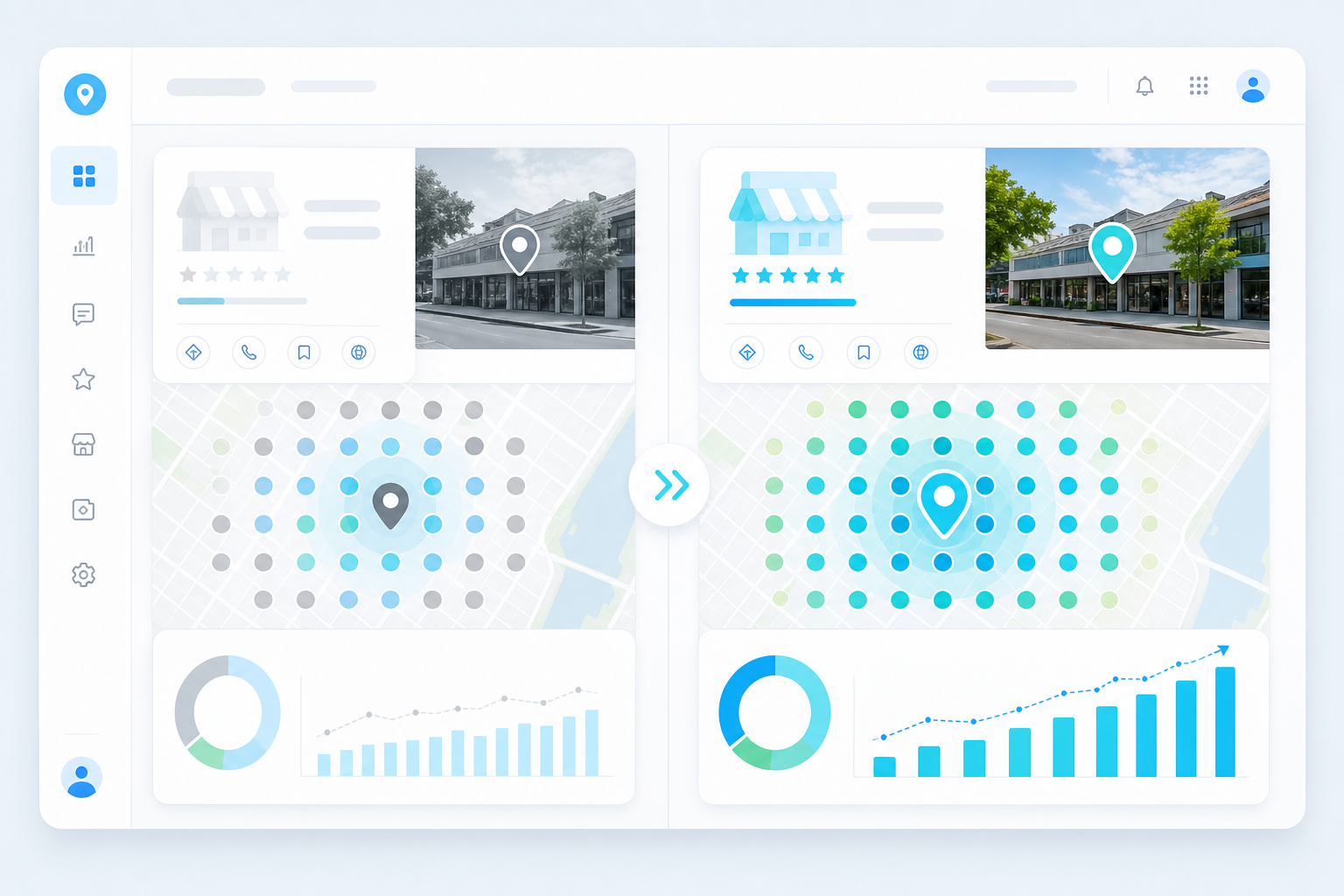
What GMB Optimization Really Means
Google Business Profile (still often called GMB) is the listing customers see in Google Search and Google Maps when they look for local services. Optimization is not a one-time “set and forget” task. It is the ongoing alignment of your name, address, phone, categories, services, hours, photos, reviews, and posts with how customers actually find and choose businesses nearby.
Effective GMB optimization improves relevance, prominence, and distance signals—the same pillars Google has long associated with local ranking. Relevance comes from clear categories, services, and description language that match search intent. Prominence grows from reviews, brand citations, and engagement. Distance depends on where the customer is searching relative to your pin or service area.
Treat optimization as customer experience work first. When hours are wrong, photos look outdated, or the phone rings to a disconnected line, you lose trust even if you briefly rank. GBP Local Ranker can help you audit completeness and track Maps visibility over time so improvements are measured, not guessed.
Create a living optimization backlog with owners and due dates. Critical accuracy fixes ship first, then media and review hygiene, then citation and landing-page work. When every task has an owner, GMB optimization stops competing with whatever feels urgent that morning.
Build the Foundation: NAP, Categories, and Services
Start with Name, Address, and Phone (NAP). Your primary business name should match the name customers see on your storefront, website, and legal documents—without keyword stuffing. Address formatting must match how mail and delivery systems recognize the location, including suite numbers. Phone numbers should be local when possible and consistently listed across your website footer, contact page, and major directories.
Primary category selection is one of the highest-leverage GMB optimization decisions. Choose the single category that best describes what most customers hire you for. Additional categories should be truthful supporting services, not a laundry list of aspirational keywords. Misaligned categories confuse Google and customers, and they can contribute to policy friction later.
Services and products should mirror real offerings with clear labels and short descriptions. If you are a service-area business, define coverage honestly and avoid claiming a storefront you do not operate. Consistency between your Google Business Profile, website service pages, and appointment booking tools reduces bounce rates from Maps clicks.
Revisit categories and services after any major offer launch, retirement, or rebrand. Search language drifts, and a profile that still describes last year’s menu quietly loses relevance even when the business is growing.
- Match the GBP name to real-world branding—never stuff cities or keywords into the title field.
- Pick one accurate primary category, then add only relevant secondary categories.
- Keep phone, website URL, and booking links tested on mobile every month.
- Align service names on GBP with headings on your website location pages.
Hours, Attributes, Description, and Q&A
Hours are a conversion feature as much as a ranking detail. Incorrect hours create angry reviews and wasted visits. Set regular hours carefully, then use special hours for holidays, seasonal schedules, and temporary closures. If your team works by appointment only, say so clearly in attributes and description language so expectations are set before someone drives over.
Attributes such as “women-owned,” “wheelchair accessible,” payment methods, and parking options help customers filter results and decide faster. Fill every truthful attribute; leave blank what does not apply. Overclaiming accessibility or amenities is both unethical and risky if customers report inaccurate information.
Your business description should read like a clear introduction, not a keyword dump. Lead with who you serve, what you do, and what makes the experience reliable. Keep Q&A monitored: answer owner questions promptly, and flag spam or outdated community answers. A well-maintained Q&A section reduces support load and improves the usefulness of your Google Business Profile.
Document before-and-after screenshots for material changes. If rankings or Insights swing, you need a record of what changed on the Google Business Profile versus what changed on the website or in review volume.
Photos, Posts, and Authentic Reviews
Visual proof sells local services. Upload high-quality exterior, interior, team, product, and before-after photos that reflect current reality. Refresh cover and logo images when branding changes. Short videos of the storefront, process, or finished work can increase engagement when they are authentic and compliant with Google media guidelines.
Google Posts keep your profile active with offers, updates, events, and product highlights. Write posts that answer a real need—“same-week appointments,” “holiday hours,” or “new service area”—and include a clear call to action. A steady cadence beats bursts of spammy posting followed by silence.
Reviews remain a core prominence signal. Ask satisfied customers ethically after a successful job, respond to every review with specifics, and never buy fake reviews or incentivize only positive ratings in ways that violate Google policies. Negative feedback is an operations signal: fix the root cause, then reply professionally. Tools like GBP Local Ranker help teams track review velocity and response hygiene alongside ranking audits.
Connect Website, Citations, and Measurement
Your Google Business Profile should point to a relevant landing page—ideally a location or service page with matching NAP, embedded map, unique copy, and clear contact options. If every location shares a generic homepage with no local content, you weaken the connection between Maps discovery and on-site conversion.
Citations on major directories, industry sites, and local chambers should reinforce the same NAP. Clean duplicates and outdated listings before you pour budget into ads. Citation work is slower than profile edits, but it supports trust when Google and customers cross-check your identity.
Measure what matters: calls, direction requests, website clicks, conversation actions, and Maps rank trends for priority keywords. Baseline before major changes, then reassess after 30–60 days. Optimization without measurement turns into random activity. A lightweight audit calculator or scheduled rank tracking workflow keeps the team honest about what moved and what did not.
A Weekly GMB Optimization Rhythm That Scales
Owners with one location can run a simple weekly loop: verify hours and special hours, reply to new reviews, publish or schedule one useful post, upload fresh photos from recent work, and check Insights for unusual drops. Monthly, audit categories, services, website URL, and competitor movement in your core neighborhoods.
Agencies and multi-location brands need governance. Protect critical fields so local managers cannot accidentally rename the business or change the primary category. Document who can edit what, keep an evidence folder for licenses and storefront photos, and standardize reporting so executives see portfolio health without logging into each Google account.
Avoid black-hat shortcuts marketed as “instant map pack ranking.” Fake engagement, doorway pages, or manipulative review schemes can undo months of ethical GMB optimization. Sustainable growth comes from accurate data, strong customer experience, and consistent content—supported by audits and tracking, not gimmicks.
GMB optimization priorities by impact
| Area | Why it matters | Owner action |
|---|---|---|
| Primary category | Strong relevance signal for Maps queries | Confirm it matches core revenue service |
| NAP accuracy | Builds trust and citation consistency | Match website, signage, and directories |
| Reviews & replies | Supports prominence and conversion | Request ethically; reply within 48 hours |
| Photos & posts | Improves engagement and freshness | Add real media weekly; post useful updates |
| Website landing page | Converts Maps traffic | Use unique local page with clear CTA |
Basic profile vs optimized Google Business Profile
| Element | Basic listing | Optimized listing |
|---|---|---|
| Categories | Generic or outdated | Precise primary + relevant secondaries |
| Services | Empty or vague | Named services with clear descriptions |
| Media | Stock or sparse photos | Current storefront, team, and work photos |
| Reviews | Few unreplied reviews | Steady authentic reviews with thoughtful replies |
| Measurement | No tracking cadence | Monthly audits + keyword rank checks |
Suggested optimization cadence
| Cadence | Tasks | Owner |
|---|---|---|
| Daily | Review replies and message inbox | Frontline manager |
| Weekly | Post, photo refresh, hours check | Marketing or owner |
| Monthly | Category/service audit, Insights review | SEO lead |
| Quarterly | Citation cleanup, competitor scan | Agency or SEO lead |
FAQ
How long does GMB optimization take to affect Google Maps rankings?
Many businesses see Insights and engagement changes within a few weeks, while competitive map-pack movement often takes 30–90 days depending on market density, review history, and how accurately the profile already matched search intent.
Is Google Business Profile the same as GMB?
Yes. Google My Business was rebranded to Google Business Profile. People still say GMB, GBP, or Maps listing—they generally mean the same local business profile in Search and Maps.
Should I put keywords in my business name?
No. Use your real business name. Keyword stuffing the name field violates Google guidelines and can trigger suspensions or forced edits. Put keywords naturally in categories, services, posts, and website content instead.
How many categories should I select?
Choose one accurate primary category and only additional categories that truly describe services you offer. More is not better if categories are irrelevant or misleading.
Do Google Posts help rankings?
Posts primarily improve usefulness and engagement. They may support freshness and click-through behavior, but they are not a substitute for strong categories, reviews, and accurate NAP.
What photos perform best on a Google Business Profile?
Clear, well-lit photos of your exterior, interior, team, products, and completed work tend to perform best. Avoid heavy filters, text-heavy graphics, and outdated images that no longer match the location.
Can I optimize a service-area business the same way as a storefront?
Core principles are similar, but service-area businesses must set service areas honestly, follow Google’s rules about hiding addresses when appropriate, and avoid fabricating a public storefront.
How often should I ask for reviews?
Ask after successful customer interactions on a steady, ethical cadence. Focus on genuine experiences—never buy reviews or run schemes that filter out negative feedback in violation of Google policies.
What should I track after optimizing my GMB?
Track calls, direction requests, website clicks, review volume and rating, post engagement, and local rank for priority keywords. GBP Local Ranker is useful for audits and Maps visibility tracking alongside Google Insights.
Can an agency optimize my Google Business Profile for me?
Yes—if you grant the correct manager access and keep ownership under your control. Require ethical practices, documented changes, and reporting. Avoid anyone promising guaranteed rankings or fake review packages.
Related GMB guides
- Local SEO
- GMB Management
- GMB Verification
- GMB Suspension Removal
- Local SEO Add-ons
- GMB Weekly Posts Management