A customer tells you they left a five-star review, but it never appears on your profile. Or your review count suddenly drops by several, with no explanation. This is one of the more confusing and frustrating experiences in managing a Google Business Profile, and it usually falls into one of a handful of specific, identifiable causes rather than being a random glitch.
This guide walks through why reviews go missing, get delayed, or get removed entirely, what you can actually do about each cause, and, just as importantly, what is not worth panicking over because it resolves on its own. It pairs with our deeper truth about GBP reviews and rankings guide for the broader review strategy context.
The Most Common Reasons a Review Does Not Appear
Google's review filtering system screens submissions for policy violations and suspicious patterns before they go live, and this filtering has become more automated and, at times, more aggressive in recent years. A completely genuine review can occasionally get caught if the reviewer's account is new, has minimal activity history, or if several reviews arrive for the same business in a short burst that resembles a coordinated pattern, even when every single review is authentic.
Processing delay is another simple, non-alarming cause: reviews can take anywhere from a few minutes to, in rarer cases, a couple of days to fully appear, especially during high submission volume periods. Before assuming something is wrong, it is worth simply waiting 24-48 hours and checking again, since a meaningful percentage of "missing" reviews resolve themselves without any action needed.
| Cause | How common | What to do |
|---|---|---|
| Normal processing delay | Very common | Wait 24-48 hours before taking further action |
| Reviewer account flagged as low-activity or new | Common | Nothing to do; ask the reviewer to keep their Google account active |
| Burst of reviews arriving close together | Occasional | Spread out review requests over time rather than one mass push |
| Review violates content policy (spam, off-topic, profanity) | Occasional | Reviewer should revise and resubmit if genuinely accidental |
| Reviewer used a VPN or unusual location signal | Less common | Ask reviewer to try again without a VPN active |
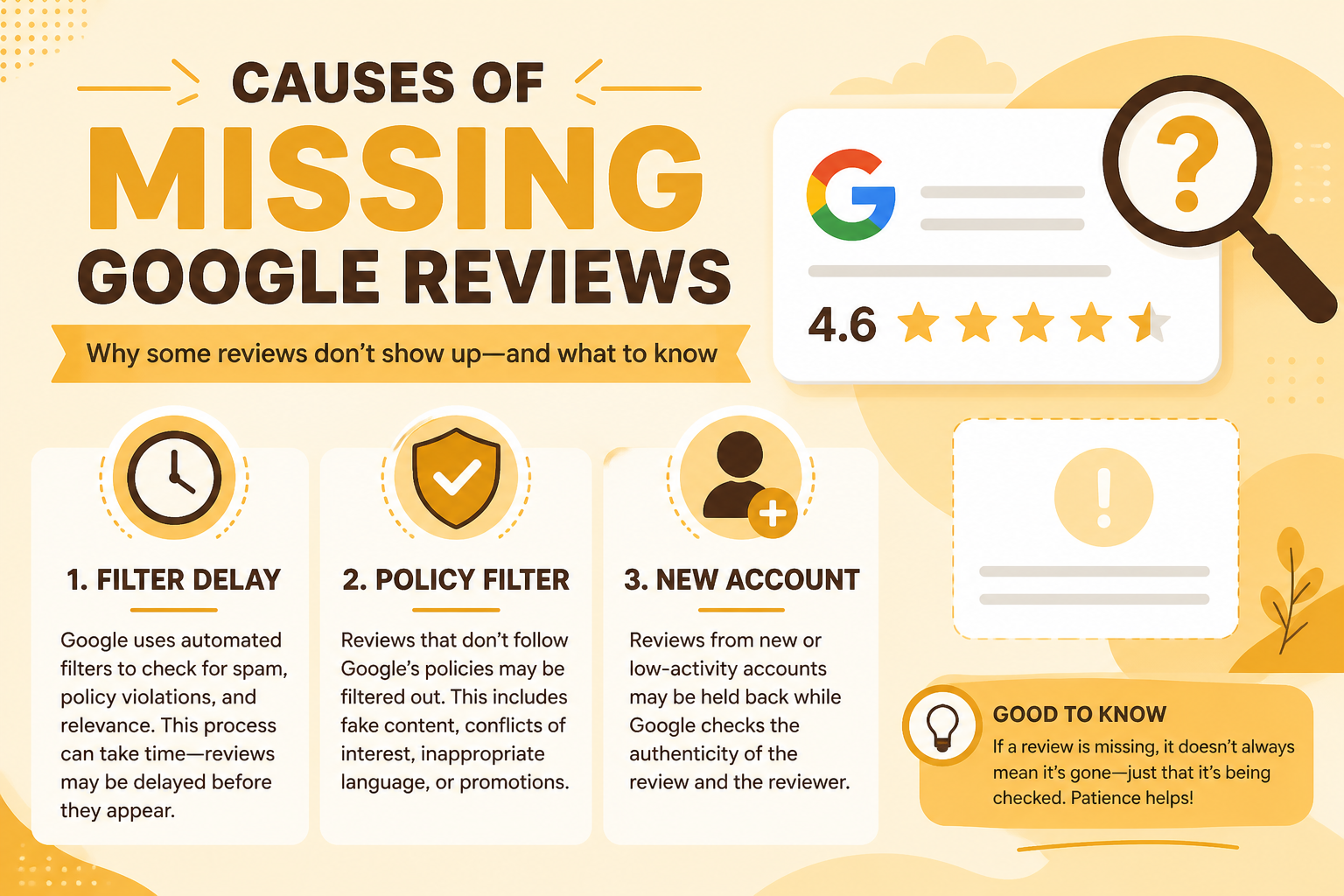
When Reviews Disappear After Already Being Visible
The reviewer deleted or edited their own review
Customers can remove or change their own reviews at any time without notifying the business. This is the single most common reason a previously visible review vanishes, and there is nothing to investigate or fix on your end.
Google's spam system retroactively removed it
Periodic algorithm sweeps sometimes catch reviews that initially passed filtering but were later identified as fake, incentivized, or otherwise policy-violating. If this happens to genuine reviews in bulk, it is worth documenting and raising through Google's support channels.
The reviewer's Google account was suspended or deleted
If the underlying Google account tied to a review gets suspended or removed for unrelated reasons, any reviews from that account typically disappear along with it, regardless of how genuine the original review was.
A competitor or bad actor mass-reported your reviews
Coordinated reporting campaigns against a business's genuine reviews do happen, particularly among frustrated competitors. If you notice several legitimate reviews vanish simultaneously with no obvious policy issue, this is worth reporting to Google support with evidence of authenticity.
What to Do If You Believe Genuine Reviews Are Being
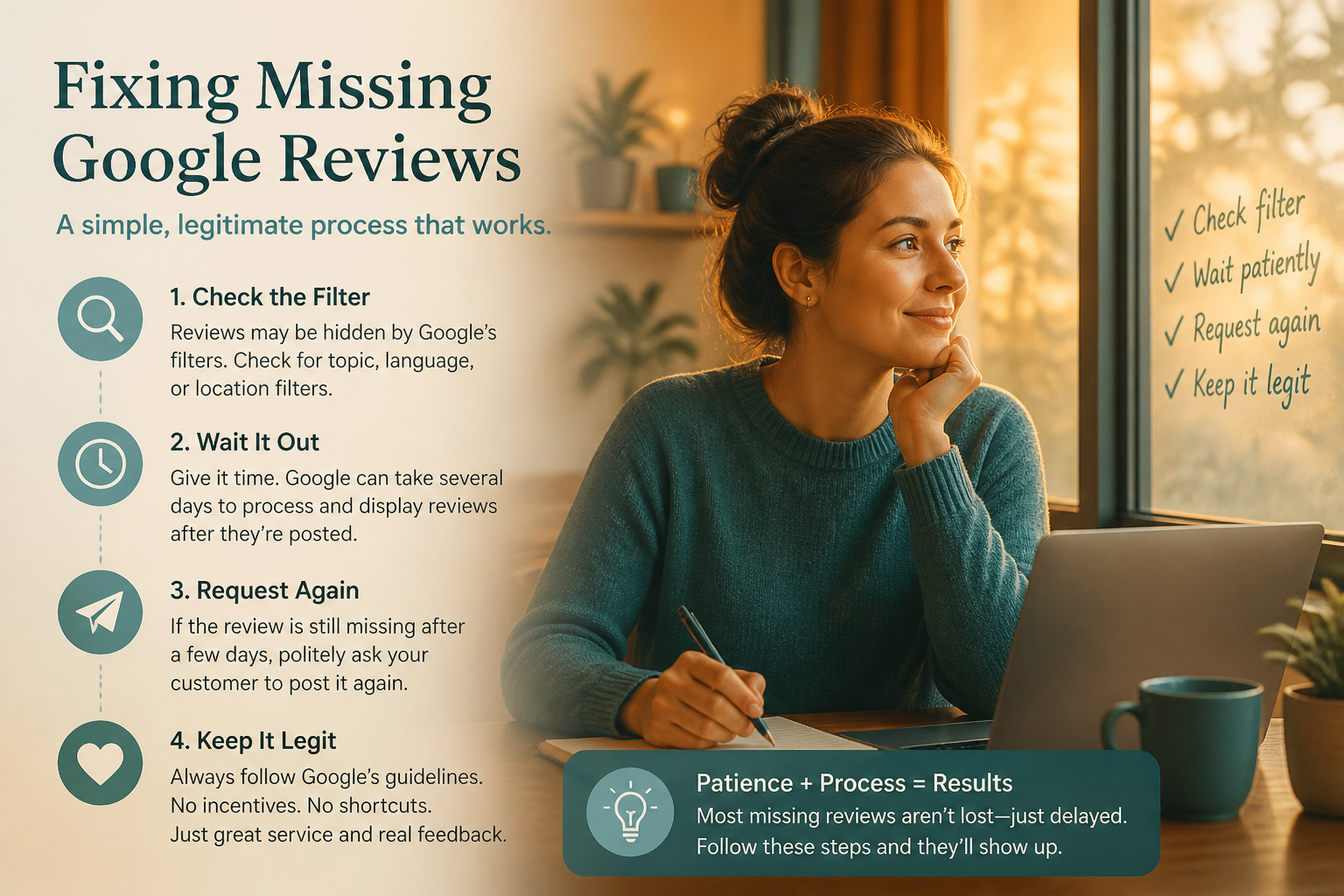
First, confirm the review truly does not appear rather than assuming based on a customer's claim alone, check the live profile yourself, since occasionally a customer reviewed the wrong listing entirely, especially for businesses with multiple locations or common names. If it is genuinely missing after 48 hours, ask the reviewer to confirm they used an active, established Google account and were not using a VPN at the time.
For a pattern of legitimate reviews disappearing, document specific examples with dates and reviewer names, then use Google's official support channels to report the issue rather than repeatedly asking the same customer to resubmit, which can itself look like a suspicious pattern. Avoid any temptation to incentivize resubmission with a discount, since that crosses into policy-violating territory covered in our GMB optimization guide.
| Step | What it confirms | Next action if unresolved |
|---|---|---|
| Wait 24-48 hours | Rules out normal processing delay | Move to step 2 |
| Confirm reviewer used the correct listing | Rules out reviewer error | Move to step 3 |
| Ask reviewer about VPN or new account status | Identifies likely filtering trigger | Move to step 4 |
| Document pattern and contact Google support | Escalates genuine, unresolved cases | Await support response, avoid repeated resubmission requests |
Preventing Future Review Loss Where Possible
Spread review requests out naturally over the course of normal business rather than sending a single mass request to dozens of past customers at once, since a sudden cluster can resemble a suspicious pattern even when every review is genuine. Encourage customers to leave reviews using their normal, regularly used Google account rather than a throwaway one, and avoid offering any incentive tied to leaving a review, which both violates policy and increases the risk of filtering.
Build a steady, ongoing request habit, a few reviews arriving consistently each week look healthier to Google's systems and to prospective customers than sporadic bursts followed by long silences. This steadier pattern also reduces the odds that a legitimate wave of reviews gets mistaken for a coordinated or purchased batch.
How to Talk to Customers About a Missing Review
Avoid making the customer feel blamed for the issue
When a loyal customer's review does not appear, the instinct is sometimes to ask a long list of troubleshooting questions that can feel like an interrogation. Lead with reassurance, thank them for taking the time, explain that this happens occasionally with Google's systems, and only then walk through the simple checks, so the interaction stays positive regardless of the outcome.
Offer an easy way to try again without pressure
Send a fresh, direct review link rather than asking the customer to search for your business again, which reduces the friction and the chance of them accidentally reviewing the wrong listing. Keep the tone low-pressure; a customer who feels nagged about a missing review may simply give up rather than try a second time.
Do not promise a guaranteed fix you cannot control
Since review filtering ultimately sits with Google's systems, avoid promising a customer that their review will definitely appear if they just resubmit it a certain way. Set honest expectations that most missing reviews resolve within a day or two, and that a small number occasionally do not appear at all despite being completely genuine.
When a Missing Review Is Actually a Sign of a
Multiple customers reporting the same problem around the same time
If several unrelated customers mention their reviews are not appearing within a short window, this points toward something more systemic than isolated filtering, possibly a profile-wide flag or an ongoing spam-detection issue affecting the whole listing rather than individual reviews. Treat repeated reports within days of each other as a signal worth investigating as a pattern, not several separate coincidences.
A pattern that coincides with a recent profile edit
Reviews going missing shortly after a significant profile edit, like a category or address change, may be connected to the same re-verification process that can pause a profile's visibility rather than being a separate review-specific problem. Cross-reference the timing of any missing reviews against your recent edit history before assuming the two issues are unrelated.
Reviews missing specifically from one traffic source or campaign
If reviews requested through one specific channel, a particular QR code, a specific staff member's link, or a bulk email campaign, consistently fail to appear while reviews from other sources post normally, the request method itself may be triggering a filtering pattern that is worth adjusting rather than continuing unchanged.
Whichever of these patterns applies, resist the urge to escalate every single missing review as an emergency. Reserve the more involved documentation and support-contact process for genuine patterns affecting multiple reviews or customers, and handle isolated one-off cases with the simple wait-and-confirm approach covered earlier. If a genuine pattern does turn out to be a policy or system-level issue rather than routine filtering, keep detailed records anyway, since this documentation is what Google support will ask for regardless of how the situation ultimately resolves. Businesses that keep loose, informal notes often find themselves re-gathering evidence from memory weeks later, which is both slower and less convincing than a running log kept from the moment the pattern was first noticed.
Frequently Asked Questions
How long can it take for a Google review to appear?
Most reviews appear within minutes to a few hours, though occasionally it can take up to a couple of days, especially during high submission volume periods.
Why did my review count suddenly drop?
The most common reason is that one or more customers deleted or edited their own reviews, which happens without any notification to the business.
Can a competitor make my genuine reviews disappear?
It is possible through coordinated false reporting, though Google's systems generally distinguish this from legitimate removal. Document and report suspected cases through official support channels.
Does using a VPN prevent my customer's review from posting?
It can occasionally trigger additional scrutiny from Google's filtering systems, since unusual location signals are one factor that can flag a review for review.
Should I ask a customer to resubmit a missing review immediately?
Wait at least 24-48 hours first, since many missing reviews simply resolve on their own during normal processing before any resubmission is needed.
Is it against policy to offer a discount for leaving a review?
Yes, offering any incentive tied to leaving a review violates Google's policies and increases both suspension risk and the odds of the review itself being filtered.
How do I report a pattern of wrongly filtered genuine reviews to Google?
Document specific reviewer names, dates, and details, then submit the issue through Google Business Profile's official support channels rather than relying only on repeated resubmission attempts.
Final Takeaway
Missing Google reviews are usually explained by a normal processing delay, a reviewer's own account activity, or an occasional filtering false positive rather than anything wrong with your business. Wait before panicking, confirm the basics, and only escalate to Google support once you have ruled out the simple explanations. A steady, spread-out review request habit also reduces how often this problem occurs in the first place.