If you still check Google Business Profile ranking by searching your own keyword from the shop Wi‑Fi, you are measuring noise. Map Pack position changes every few hundred meters. A competitor can own the street behind your store while you dominate the block in front of it. In 2026, serious GMB ranking work starts with a geo grid—not a single screenshot.
A geo grid places imaginary search pins in a pattern around your business, runs the same keyword at each pin, and maps where you land in the local pack. That heatmap becomes your weekly truth: where you are strong, where you vanish, and whether last week’s optimization actually moved anything.
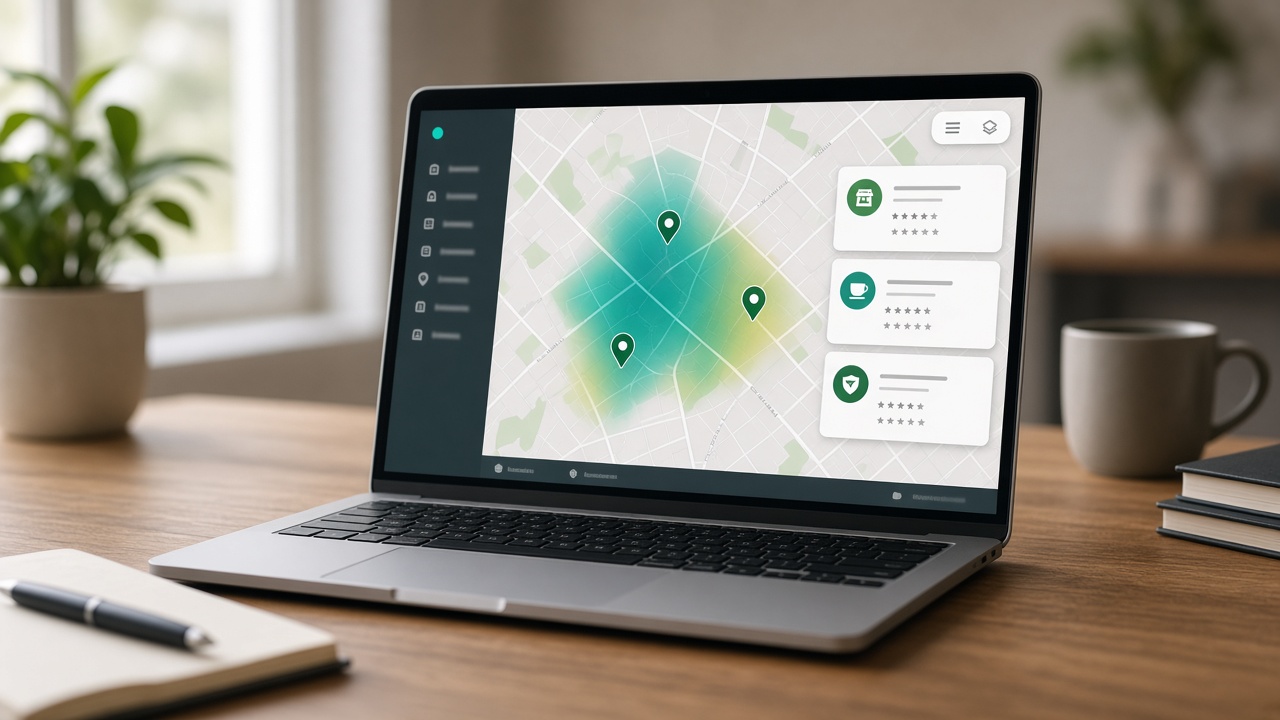
What a Geo Grid Actually Measures
Google’s local results weigh relevance, distance, and prominence. Distance is why your rank at the front door can look nothing like your rank two kilometers away. A geo grid does not invent a new ranking system—it samples the distance pillar the way real customers experience it while walking, driving, or searching “near me.”
Each cell answers one question: if someone searched this keyword from here, would your Google Business Profile show in the Map Pack—and in which position? Aggregate those answers and you get share of voice by neighborhood, not a vanity average from one device.
Set Up a Clean GMB Ranking Baseline
- Pick 3–5 money keywords customers actually type (service + city or neighborhood), not internal jargon.
- Confirm the Google Business Profile pin, primary category, and service list match those keywords.
- Choose a grid size you can re-run weekly (5×5 is a strong start for one location).
- Set radius to your real trade area—too wide dilutes signal; too tight hides competitor pressure.
- Save the first scan as your baseline before you change categories, photos, or review campaigns.
Tools like GBP Local Ranker automate the pin grid and store history so you can compare week over week. Manual Maps checks cannot do that reliably at scale.
How to Read the Heatmap Without Fooling Yourself
| Pattern | Likely meaning | Next action |
|---|---|---|
| Strong center, weak edges | Distance + local brand trust near the pin | Tighten service-area messaging; earn reviews mentioning outer neighborhoods |
| Strong east, weak west | Competitor density or category mismatch on one side | Audit competitors’ categories/services on the weak side |
| Top-3 almost nowhere | Relevance or prominence gap overall | Fix primary category, services, photos, and review velocity before chasing citations |
| Sudden hole in one cell cluster | Spam, data glitch, or a new competitor pin | Re-scan in 48 hours; check Maps for new listings |
Never optimize from a single bad cell. Wait for a second scan, then change one major lever at a time so you can attribute movement. Pair the grid with Profile insights—if ranks rise but calls do not, your photos, hours, or landing page may be breaking conversion.
A Weekly GMB Ranking Cadence That Works
- Monday: run the same keyword grid; export top competitors by cell.
- Tuesday: fix one relevance issue (category, services, or description clarity).
- Wednesday–Thursday: publish fresh photos or a GBP post tied to a weak neighborhood.
- Friday: reply to every new review; note neighborhood language customers use.
- Next Monday: re-scan and log which cells moved before you change anything else.
Agencies managing multiple locations should assign an owner per profile and keep grids per location—never average five cities into one “rank score.” Multi-location noise hides the only number that matters: Map Pack presence where that branch’s customers search.
Common Mistakes That Waste Grid Scans
- Changing the keyword spelling every week so history cannot compare.
- Inflating radius to “look national” when you only serve one metro.
- Keyword-stuffing the business name after a bad scan—this risks suspension.
- Ignoring review and photo freshness while staring only at rank colors.
- Running one scan after a big edit and declaring victory or failure.
GMB ranking is a system. The geo grid is your instrument panel. Use it to decide which neighborhood to win next—and prove whether your work earned the win.
Pick Keywords That Match Booked Work
A beautiful heatmap on the wrong keyword is theater. Start with phrases that already appear in jobs, invoices, or call notes. “Emergency plumber near me,” “pediatric dentist [neighborhood],” and “house cleaning [city]” beat clever brand slogans. If two keywords share intent, track both for one month, then keep the phrase that drives calls.
Layer modifiers carefully. Adding “cheap,” “best,” or “24 hour” can change the competitive set entirely. Document the exact string you scan—including spacing and city name—so next week’s grid is comparable. Inconsistent keywords are the fastest way to fake progress.
Radius, Pin Density, and Shared-Hosting Reality
Urban businesses often need denser pins and a shorter radius because competitors stack tightly. Suburban and service-area businesses usually need a wider radius with fewer pins so scans finish quickly and still cover drive-time reality. If your stack runs on shared hosting, prefer scheduled weekly scans over hammering live Places calls all day.
When a scan fails or returns partial cells, do not invent ranks. Re-run the same grid later and keep the prior baseline. Incomplete data is better than a polluted history that trains the wrong decisions.
Turn Gaps into a Content and Review Brief
If the west side of town never shows you in the pack, ask whether reviews mention that area, whether photos show jobs there, and whether your website has a honest neighborhood page—not a doorway spam page. Geo grids do not replace reputation work; they tell you where reputation is thin.
Give your team a one-page brief after each scan: top three weak cells, top three competitors in those cells, and one action for the week. Tools like GBP Local Ranker make the export easy; the discipline is finishing the action before the next Monday scan.
Reporting for Owners and Agencies
Owners understand colors and percentages better than raw average rank. Report top-3 coverage, not only “average position,” because Map Pack is a three-slot contest. Show before/after grids after a category fix or review campaign so stakeholders see causation instead of vibes.
For multi-location brands, never blend grids. Each location gets its own keyword set, radius, and history. Averaging five cities into one KPI hides the branch that is quietly losing the pack.
Frequently Asked Questions
Why does my GMB ranking look different on my phone vs my laptop?
Google personalizes Maps results by proximity and device location. A geo grid samples many points around your business so you see the real neighborhood pattern—not one lucky or unlucky IP address.
What grid size should I start with for GMB ranking?
Most single-location businesses start with a 5×5 or 7×7 grid and a radius that matches where customers actually search (often 3–8 km in cities). Expand only after you can act on the first heatmap.
How often should I re-scan GMB rankings?
Weekly scans are enough for most profiles. Re-scan after big profile edits, review spikes, category changes, or competitor moves—same keyword and same grid every time.
Does a geo grid replace Google Business Profile Insights?
No. Insights show calls, direction requests, and photo views. A geo grid shows where you appear in the Map Pack. You need both: visibility and engagement.