Choose Service Areas in is one of the highest-leverage local search topics in 2026. Setting up service areas in Google Business Profile looks simple on the surface, just list the cities or zip codes you serve, but getting it right involves a real trade-off. List too narrow a coverage area and you miss legitimate customers just outside the boundary. List too broad, covering an unrealistic radius, and you dilute your relevance and distance signal for the areas that matter most, while also risking a poor customer experience when someone two hours away books a same-day appointment you cannot realistically fulfill.
This guide covers Google's actual rules for service areas, how to choose a realistic radius, common mistakes that quietly hurt ranking, and how service areas interact with the rest of your profile, including categories covered in our categories guide.

Google's Actual Rules for Service Areas
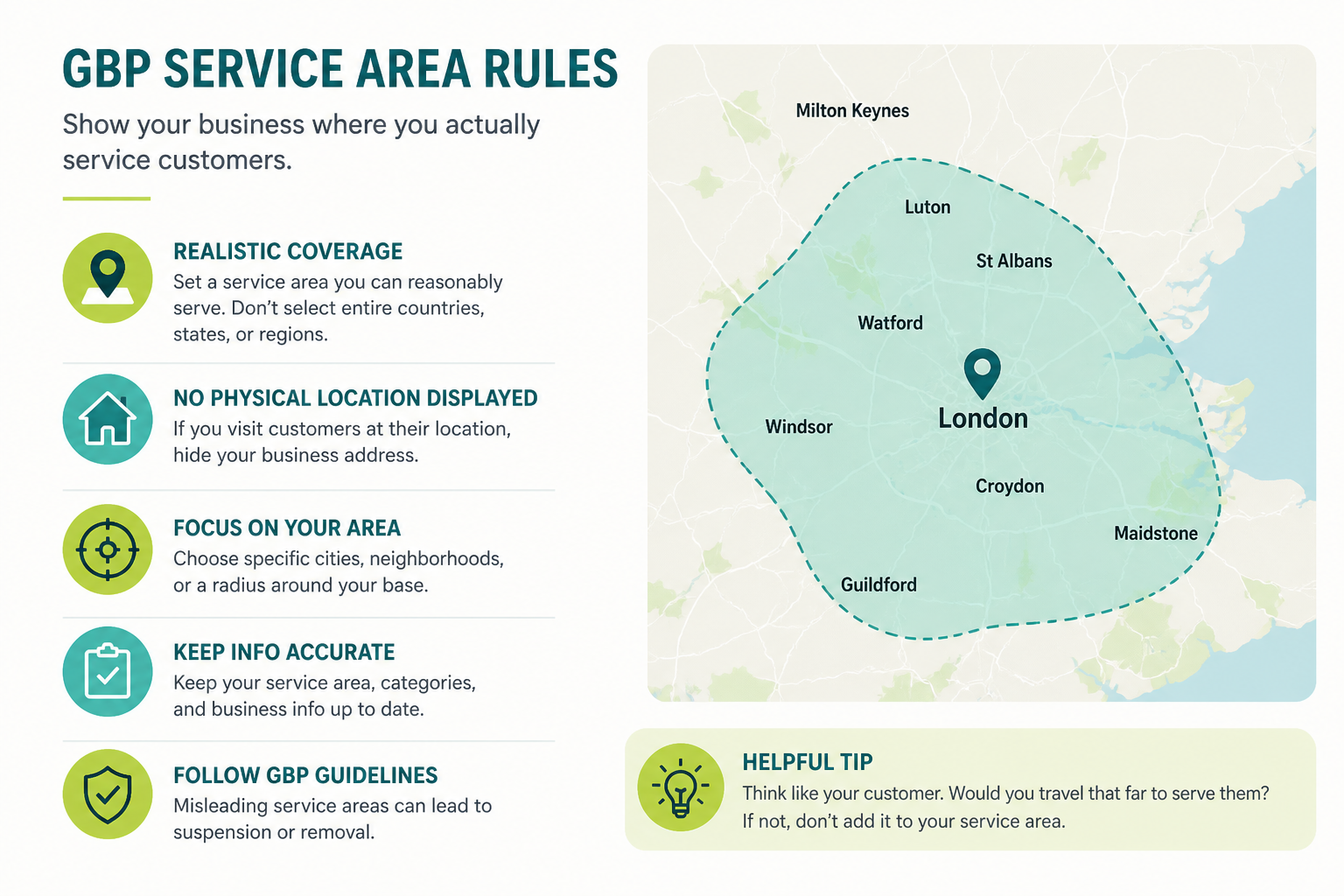
Service areas are meant for businesses that travel to customers rather than serving them at a fixed business address, plumbers, mobile groomers, cleaning services, home inspectors, and similar trades. Google allows you to list service areas by city, postal code, or a broader region, but explicitly caps how far a single listing can claim to serve: coverage should reflect a realistic driving distance from your base location, generally not sprawling across an entire state or multiple hours of travel.
If you also have a physical storefront that customers visit, you can combine a public address with a service-area list, making you a hybrid listing. If you have no walk-in customers at all, your address should be hidden and only your service areas should be visible, a distinction covered in more depth in our address and rankings guide.
| Business type | Address visibility | Service area approach |
|---|---|---|
| Pure service-area business (no walk-ins) | Hidden | List realistic cities/postal codes within a reasonable drive |
| Hybrid (storefront plus travels to customers) | Public storefront address | Add service areas around the storefront honestly |
| Pure storefront (no travel to customers) | Public | Service area list not applicable |
How to Choose a Realistic Radius
Base it on actual travel time, not ambition
A reasonable starting point is the drive time you are genuinely willing and able to service on a normal day, commonly 20 to 45 minutes for most local trades, though this varies by industry and vehicle-based versus foot-based service delivery. Claiming coverage across an entire metro area when you realistically only serve the nearest suburbs dilutes relevance rather than expanding genuine opportunity.
List by city or postal code, not a single broad region
Choosing individual cities or postal codes you genuinely serve tends to produce more accurate matching than selecting one broad regional option that technically includes areas you would never actually travel to for a job.
Adjust based on real job history, not guesswork
Review where your actual completed jobs over the past six to twelve months have come from, and use that real data to refine your service-area list rather than relying purely on a map-based estimate that may not reflect where genuine demand actually exists.
Common Service Area Mistakes That Hurt Rankings
Overclaiming a huge radius purely to appear in more searches is the most common mistake, and it usually backfires: Google's systems can deprioritize listings whose declared coverage looks unrealistic relative to typical patterns for that business category, and searchers who click through expecting service and get told "sorry, that is out of range" create a poor experience that indirectly hurts your reputation. Underclaiming is the opposite, quieter mistake, many businesses set a narrow area early on and never revisit it as the business grows, missing genuine nearby demand for years.
Leaving a visible public address for a pure service-area business remains a frequent, guideline-violating mistake. And treating service-area setup as a one-time task rather than revisiting it as your team, vehicles, or business capacity changes means the list can drift out of sync with what you can actually deliver, discussed further in our broader GMB optimization guide.
| Mistake | Why it hurts | Fix |
|---|---|---|
| Radius far exceeds realistic travel distance | Diluted relevance, poor customer experience | Base radius on real job history and honest capacity |
| Service area list never updated as business grows | Missed genuine nearby demand | Review and adjust every six to twelve months |
| Public address shown for a pure SAB | Guideline violation | Hide address, rely on service-area list |
| Single broad regional option instead of specific cities | Less precise matching to real coverage | List individual cities or postal codes actually served |
Multi-Location and Multi-Vehicle Businesses
Businesses operating from more than one base location should generally create a separate, properly verified listing for each base rather than trying to cover an unrealistic combined radius from a single profile. Each listing's service-area list should reflect what that specific location and its team can genuinely reach, rather than duplicating the same broad area across every location, which risks looking like a spam pattern to Google's systems.
For businesses with multiple vehicles or crews covering different zones, the service-area list should still reflect the combined honest capacity of the whole team from that one base, not an inflated estimate assuming every zone gets served simultaneously on the same day. Pairing an accurate service-area setup with the rank-tracking approach in our GBP Local Ranker platform helps confirm whether your declared coverage actually matches where you show up in real searches.
Testing and Refining Your Service Area Over Time
Watch which zones actually convert, not just which zones you selected
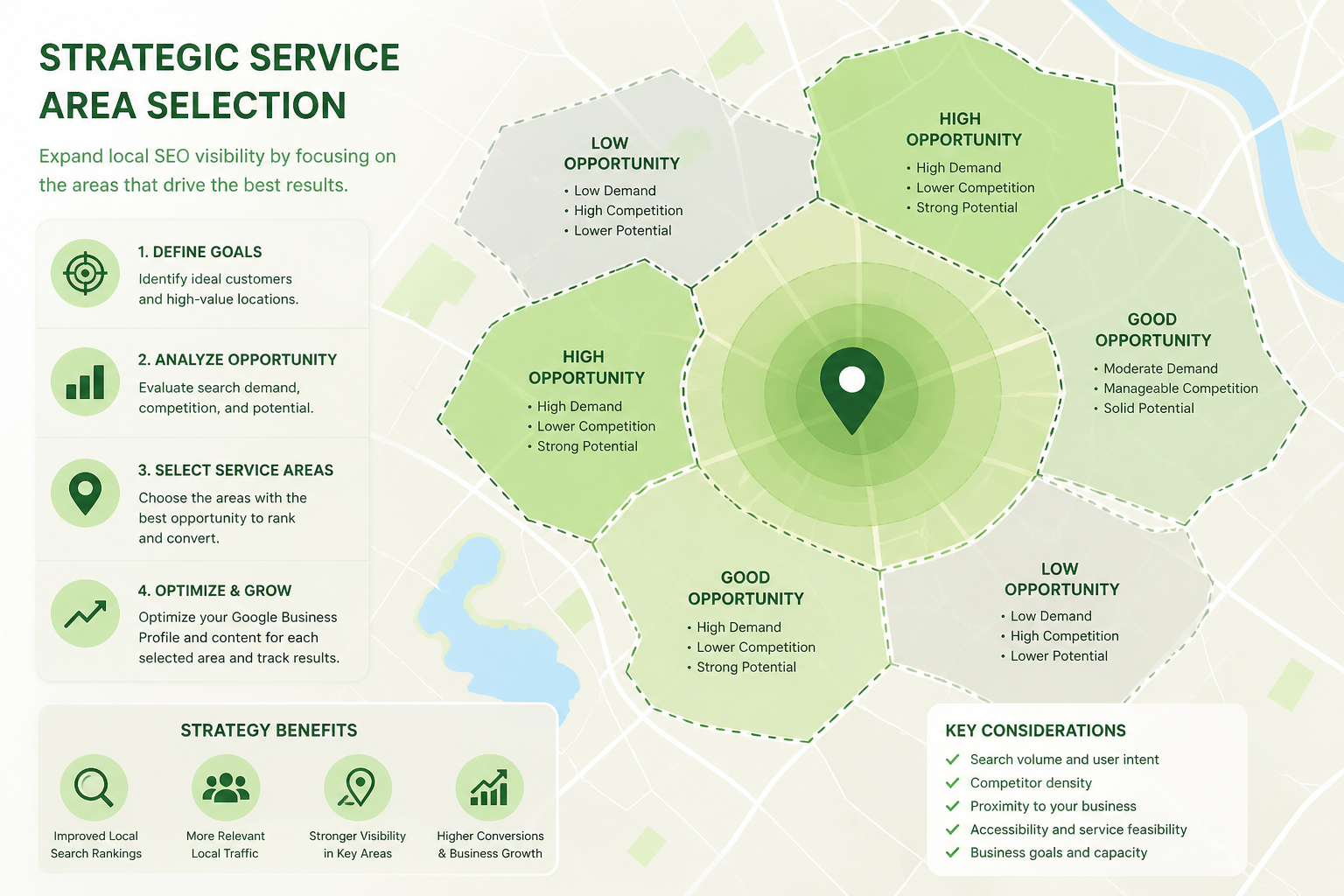
Selecting a service area is only the starting hypothesis. Over the following months, track which neighborhoods or postal codes within your declared area actually produce booked jobs versus which ones generate clicks or calls that never convert, and use that real pattern to refine the list rather than leaving the original guess untouched indefinitely.
Be willing to shrink a service area, not just expand it
Most advice about service areas focuses on adding coverage, but removing a zone that consistently produces low-quality leads or jobs you cannot profitably fulfill is just as valid a refinement. A smaller, sharper service area that matches your true capacity often performs better than a larger one padded with zones you rarely actually serve well.
Coordinate service area changes with seasonal capacity shifts
Businesses with seasonal demand, like landscaping or HVAC services, sometimes benefit from adjusting service-area breadth alongside staffing changes, a larger declared area during a fully staffed peak season, pulled back slightly during a leaner off-season. This keeps the declared coverage honest relative to what the business can actually deliver at any given time of year.
How Service Area Choices Affect Your Ad and Marketing Spend
Wasted ad spend from an oversized declared area
A service-area list that outpaces your real capacity does not just affect organic visibility, it can also mislead paid campaign targeting built around the same declared coverage, generating clicks and calls from zones you cannot realistically serve well. Keeping the declared area honest protects both organic relevance and the efficiency of any paid local advertising layered on top.
Aligning paid campaigns with your actual GBP service area
When your paid local campaigns and your Google Business Profile service-area list are aligned around the same honest coverage, customers get a consistent experience whether they arrive through an ad or an organic Map Pack result, which reduces confusion and improves the odds that a click turns into a genuine booked job.
Using service area data to inform where to advertise next
Reviewing which zones within your service area generate the most genuine, profitable jobs over time can guide where to concentrate additional marketing spend, turning your Google Business Profile data into a practical input for broader local marketing decisions rather than a setting you configure once and forget.
Even businesses that do not run paid ads benefit from thinking about service areas this way, since organic searchers form the same expectations as ad clickers: they expect the business appearing in their search to genuinely serve their location. Treating your declared service area as a promise to the customer, not just a technical setting, keeps both your marketing spend and your organic reputation working in the same direction rather than against each other, which ultimately matters more than optimizing either one in isolation.
Frequently Asked Questions
How far should my Google Business Profile service area extend?
Base it on realistic travel time, typically 20 to 45 minutes for most local trades, rather than the maximum distance Google technically allows you to select.
Can I list an entire state as my service area?
Technically you may be able to select broad regions, but doing so when you cannot realistically serve that entire area dilutes relevance and can look unrealistic to Google's systems.
Should I list cities or a single regional area?
Listing specific cities or postal codes you genuinely serve typically produces more accurate matching than selecting one broad regional option that includes areas you would not actually travel to.
How often should I update my service area list?
Review it every six to twelve months, or whenever your team size, vehicle capacity, or genuine demand patterns change meaningfully.
Do I need a separate listing for each location I operate from?
Yes, each genuinely separate base location should have its own properly verified listing with a service-area list reflecting what that specific location can realistically reach.
Can an unrealistic service area get my listing suspended?
It is more likely to reduce relevance and create poor customer experiences than to directly cause suspension, but combined with other violations it can contribute to a broader trust problem.
Should a hybrid business list service areas or just rely on the storefront address?
If you both serve walk-in customers and travel to others, list both a public address and an honest, realistic service-area list around that location.
Final Takeaway
Choosing service areas in Google Business Profile is a balance between genuine reach and realistic capacity, not a game of claiming the widest possible radius. Base your list on actual travel time and real job history, keep it updated as your business changes, and never show a public address if you are a pure service-area business. Getting this specific, unglamorous setting right removes a source of both ranking dilution and poor customer experience that no amount of other optimization can fully compensate for.