A local website analyzer tool helps you evaluate whether a business website is technically accessible, locally relevant, trustworthy, and capable of turning nearby searchers into customers. Unlike a generic site checker, a useful local audit connects website findings with real locations, services, Google Business Profile (GBP) information, and conversion paths. It should reveal what needs human attention without pretending that a single score predicts rankings.
This guide explains what to inspect, how to interpret tool output, and how to turn findings into a focused 30-day plan. No analyzer can guarantee visibility, leads, or revenue. Search performance also depends on competition, proximity, reputation, business history, and execution. Use automated checks to find evidence and patterns, then verify important findings manually.
What a Local Website Analyzer Tool Should Do
The tool should crawl public pages, identify indexability and on-page issues, compare business details, and summarize local signals by location and service. Better tools separate errors from warnings and opportunities. A blocked location page is an error; a title that could express local intent more clearly is an opportunity. That distinction prevents teams from treating every recommendation as equally urgent.
Start with Local Intent and Page Coverage
First, map the website to the searches that matter. Group demand by service, product, problem, city, neighborhood, and intent such as booking, emergency help, pricing, directions, or comparison. The Local Keyword Research tool can support this inventory, but customer calls, Search Console queries, and sales conversations provide essential language too.
Each important intent should have a suitable destination. The home page can introduce the brand, but it rarely explains every service and location well. Audit whether each genuine location has a useful page and whether major services have enough detail to answer customer questions. Avoid doorway pages that merely swap city names. A strong local page contains distinctive service availability, staff or facility details, hours, directions, access information, local proof, FAQs, and a clear next step.
Review Information Architecture and Internal Links
Important pages should be reachable through normal navigation and contextual links, not only an XML sitemap. Check the path from home page to location, service, contact, and booking pages. Use descriptive anchors where they help readers. If the current structure cannot support clear local pages, the Website Builder offers a starting point for organizing conversion-focused business content.
Check Crawlability and Indexing
A crawler should flag failed responses, redirect chains, broken internal links, orphan pages, duplicate URLs, accidental noindex directives, and pages blocked by robots.txt. Review canonical tags, XML sitemap membership, pagination, and JavaScript-dependent content. Confirm that the preferred HTTPS and hostname versions resolve consistently. A page cannot compete reliably if search engines cannot fetch, render, understand, or retain it in the index.
Evaluate On-Page Local Signals
Review each priority URL as a complete document. The title, main heading, introduction, body, image alternatives, and internal anchors should clearly communicate the service and relevant place without repetitive phrasing. Meta descriptions should set an accurate expectation and encourage qualified clicks. Check duplicate titles and headings, but judge wording by usefulness rather than a rigid character or keyword formula.
Local relevance comes from substantive details: areas served, service constraints, local regulations where applicable, recognizable landmarks, arrival instructions, project examples, and customer questions. Include only facts the business can maintain. Adding a city name dozens of times does not create expertise, and invented local references weaken trust.
Audit NAP and GBP Alignment
Compare the business name, address, and phone number (NAP) shown on the website with the corresponding GBP and authoritative business records. Flag old addresses, conflicting numbers, inconsistent location names, incorrect map pins, and mismatched hours. Minor punctuation or abbreviation differences are usually less important than information that could send a customer to the wrong place.
Alignment extends beyond NAP. Compare GBP categories, services, appointment URLs, service areas, and landing pages with what the site actually says. Use the GBP Audit Center to organize profile checks, and consult the Google Maps ranking guide for a broader profile workflow. Tracking parameters may be added to GBP links, but the destination must remain accurate.
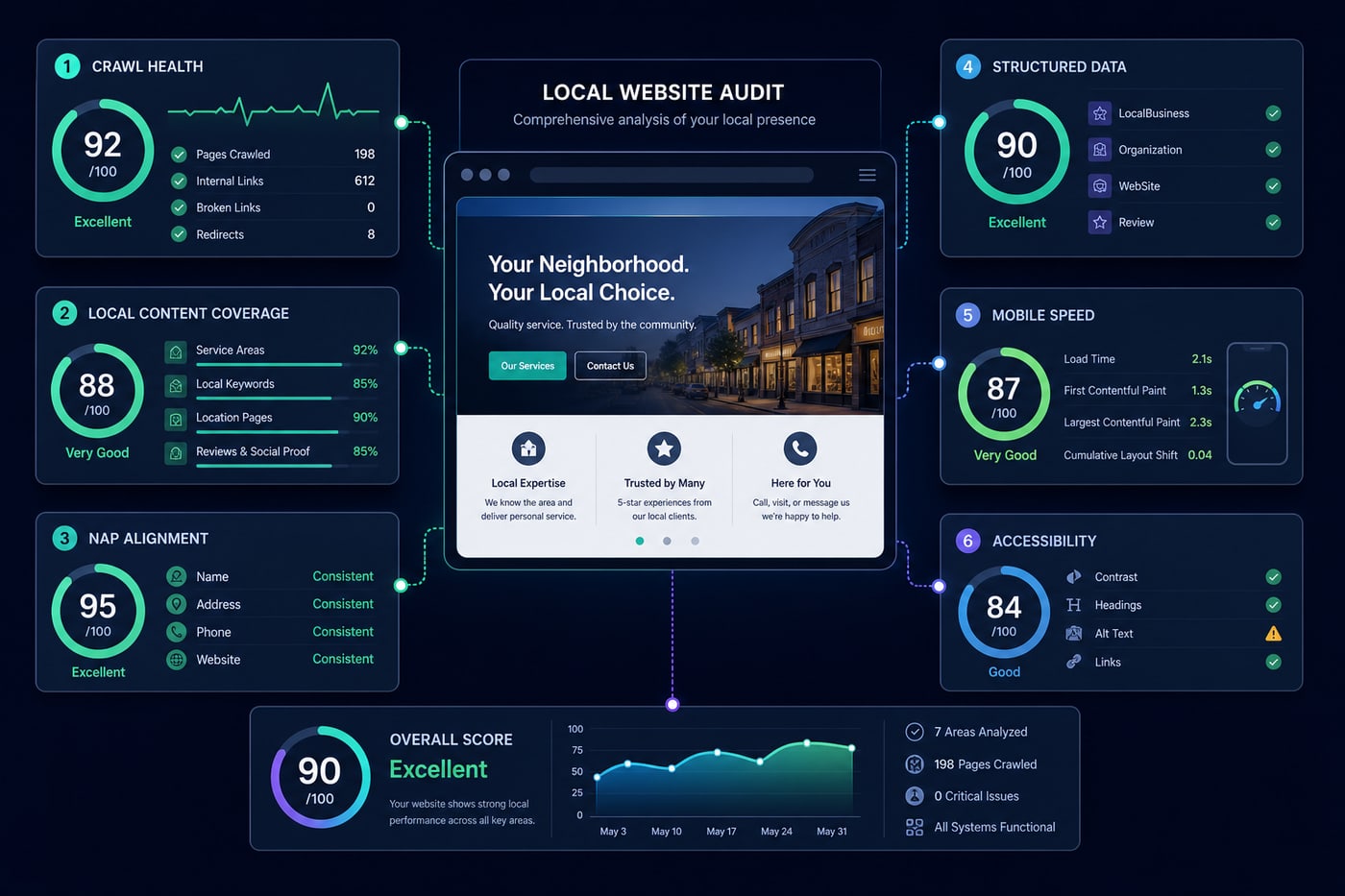
Validate Local Business Schema
Structured data can clarify entities and page content, but it does not substitute for visible information. Validate JSON-LD syntax and use the most accurate supported business type. Check name, URL, telephone, address, opening hours, geo coordinates, sameAs references, and parent-child relationships for multi-location organizations. Each value should match the page and the real business.
Avoid marking up reviews the business controls as if they qualify for search features, inventing aggregate ratings, or adding services that are not offered. A validation pass can detect syntax and eligibility issues; only a manual review can confirm factual accuracy. Treat warnings as prompts for investigation, not mandatory fields to fill.
Test Mobile Experience, Performance, and Accessibility
Local searches often lead to immediate actions, so test real mobile paths. Can a visitor read the location details, call, request directions, complete a form, and book without zooming or dismissing intrusive overlays? Review layout shifts, slow images, delayed scripts, tap targets, font sizing, and sticky elements that cover content. Field performance data is more representative than a single lab run, although both are useful.
Accessibility supports customers and improves site quality. Check keyboard navigation, focus visibility, labels, heading order, color contrast, meaningful alternative text, captions where needed, and error messages that explain how to recover. Automated scanners find only some barriers, so include keyboard and screen-reader spot checks on priority templates. Performance and accessibility findings should be grouped by reusable template when one fix can improve many pages.
Inspect Conversion Tracking and Customer Paths
An audit is incomplete if it stops at rankings. Define meaningful actions such as phone clicks, qualified form submissions, bookings, purchases, direction requests, or chat starts. Test events across devices and verify that confirmation-page refreshes, spam, and duplicate tag installations do not inflate totals. Use privacy-conscious configuration and obtain consent where required.
Connect landing pages and campaigns with consistent UTM conventions, then compare organic local sessions with outcomes. A high-scoring page with a broken form is a business priority even if its SEO checks pass. Review calls to action, contact options, proof near decision points, form length, and after-hours expectations. Reporting through Local SEO Reports can keep technical work connected to leads and customer behavior.
Assess Trust and Content Quality
Customers need enough evidence to choose the business. Look for clear ownership, genuine team information, licenses or credentials when relevant, service terms, policies, contact options, and recent examples of work. Testimonials should be authentic and attributed only with permission. Pages covering health, legal, financial, or safety topics require especially careful authorship, review, and sourcing.
Find Content Gaps Without Creating Thin Pages
Compare customer questions, query data, competitor coverage, GBP services, and the sales process against existing pages. Useful gaps may include service eligibility, cost variables, preparation steps, timelines, warranties, parking, accessibility, neighborhoods served, and what happens after a booking. Prioritize gaps that remove uncertainty or support a distinct customer decision.
Do not turn every keyword variation into a URL. Consolidate overlapping subjects and improve the strongest relevant page. Create a new page only when the intent, offering, location, or audience is meaningfully different and there is enough original information to serve it. The broader feature set and free local SEO tools can help with research and prioritization.
Put Citations and Backlinks in Context
Website crawlers cannot see every off-site signal, so combine the audit with citation and backlink review. Check major platforms, relevant industry directories, chambers, associations, local media, and community organizations for accurate business details. Correct harmful conflicts and duplicates first. Submitting to a large number of low-quality directories is not a substitute for maintaining the listings customers actually use.
Review backlinks for relevance, editorial legitimacy, destination, and anchor context. Strong local links often arise from real relationships, useful resources, partnerships, sponsorships, and expert contributions. Avoid automated link packages and do not judge authority by one proprietary metric. A website analyzer should place link data beside content and location context, not issue a simplistic pass or fail.
How to Choose the Right Analyzer
- <strong>Local context:</strong> supports locations, service areas, GBP comparisons, and page-to-intent mapping.
- <strong>Transparent evidence:</strong> shows affected URLs, observed values, and why each finding matters.
- <strong>Useful prioritization:</strong> separates critical technical failures from enhancements and low-confidence suggestions.
- <strong>Flexible crawling:</strong> handles JavaScript, canonicals, redirects, robots rules, sitemaps, and larger sites responsibly.
- <strong>Integrations and exports:</strong> connects relevant search, analytics, profile, and reporting data without locking away raw findings.
- <strong>Repeatable comparisons:</strong> records baselines and changes so teams can verify fixes and monitor regressions.
- <strong>Privacy and access controls:</strong> limits sensitive data, documents retention, and supports appropriate user permissions.
- <strong>Human workflow:</strong> allows notes, ownership, status, and manual validation instead of auto-publishing risky changes.
Choose based on the decisions you need to make, the number of locations, and who will act on findings. Trial the workflow on a representative location before committing. Compare available pricing with crawl limits, data retention, exports, collaboration, and support rather than buying the longest feature list.
Interpret Scores Without Chasing Perfection
A score compresses many observations into one number using the vendor's weighting. It is useful for triage and trend tracking within the same tool, but it is not a Google metric and should not be compared across platforms. Read the evidence behind every deduction. Confirm whether the affected URL is indexable, valuable, representative, and under your control.
Prioritize by business impact, severity, confidence, reach, and effort. Restoring an accidentally blocked location template is usually more important than rewriting a harmless meta description. Fix shared causes before individual symptoms, record the baseline, and measure again after deployment. Rankings may fluctuate for unrelated reasons, so use crawl validation, conversions, and longer search trends together.
Common Local Website Audit Mistakes
- Treating every warning as an emergency without checking the affected page or business impact.
- Optimizing for a perfect score while calls, forms, booking, or directions remain difficult to use.
- Publishing duplicate city pages with no distinct local value.
- Changing NAP, schema, and GBP fields independently without a verified source of truth.
- Assuming schema markup or repeated keywords can compensate for weak services and content.
- Using one desktop speed test as a complete view of mobile experience.
- Removing index controls before understanding why pages were excluded.
- Reporting rankings without location, query, landing-page, and conversion context.
- Implementing automated recommendations without backups, review, or post-release validation.
A Practical 30-Day Improvement Plan
Days 1–7: Establish the Baseline
Inventory locations, services, priority queries, GBP landing pages, and conversion goals. Crawl the site, export current Search Console and analytics data, test lead paths, and document canonical NAP. Group findings by template and mark critical access, indexing, contact, and tracking failures. Assign an owner to each verified issue.
Days 8–14: Fix Technical and Data Conflicts
Resolve high-impact response errors, internal broken links, accidental blocks, incorrect canonicals, mobile obstacles, and failed conversions. Align visible location details, GBP destinations, hours, and valid structured data. Test changes in a safe environment where possible, then recrawl released pages and verify important URLs manually.
Days 15–21: Improve Priority Pages
Strengthen the pages closest to customer decisions. Clarify titles, headings, service details, local proof, accessibility information, calls to action, and internal links. Consolidate overlapping content instead of adding thin URLs. Address performance bottlenecks on shared templates and confirm forms, calls, and bookings still track correctly.
Days 22–30: Close Gaps and Build a Routine
Create one or two genuinely useful missing resources, correct priority citations, and identify legitimate local relationship opportunities. Compare the new crawl with the baseline, annotate deployments, and report completed fixes separately from unresolved opportunities. Set a realistic cadence for monitoring core templates, location details, GBP links, conversions, and newly introduced errors.
Final Takeaway
Consistency compounds, spam collapses.